
Videos
Error 403 Requests from referer https://staging.xsponse.com are blocked. : forbidden
Contact us
to learn more!
Questions about our partner program?
Email us at:

XSponse unifies detection, alerts, and automated emergency response across public spaces.

Your portal to important policies, news, and assistance options for a seamless experience.

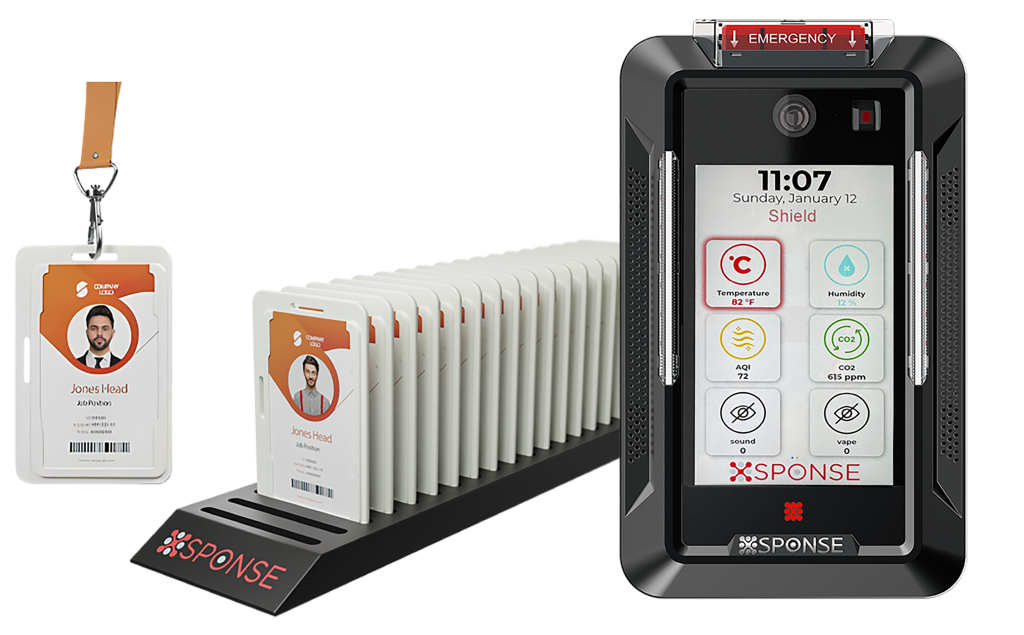
Advanced security solutions with realtime insights, automation, and location tracking.
Your portal to important policies, news, and assistance options for a seamless experience.

XSponse unifies detection, alerts, and automated emergency response across public spaces.
Your portal to important policies, news, and assistance options for a seamless experience.
Advanced security solutions with realtime insights, automation, and location tracking.
Your portal to important policies, news, and assistance options for a seamless experience.
We use cookies to improve your experience on our site. By using our site, you consent to cookies.
Manage your cookie preferences below:
Essential cookies enable basic functions and are necessary for the proper function of the website.
Google reCAPTCHA helps protect websites from spam and abuse by verifying user interactions through challenges.
These cookies are used for managing login functionality on this website.
Statistics cookies collect information anonymously. This information helps us understand how visitors use our website.
Google Analytics is a powerful tool that tracks and analyzes website traffic for informed marketing decisions.
Service URL: policies.google.com (opens in a new window)
Marketing cookies are used to follow visitors to websites. The intention is to show ads that are relevant and engaging to the individual user.
Service URL: staging.xsponse.com (opens in a new window)
You can find more information in our Cookie Policy and Privacy Policy.
XSponse now offers live remote support using Splashtop!
Whether you’re a customer with access to our full support system or just need quick assistance, we’re here to help.
Follow these quick steps to get help:
1. Click the button below to download the Splashtop support tool.
2. Run the tool and provide us with the code it generates.
3. Sit back while our support team solves your issue remotely!


